
Download IECacheView – internet explorer, cache viewer, portable tool, file recovery, cache management, html report, search functionality, no installation
Overview
IECacheView is a specialized utility designed to help users access, inspect, and manage the cache data stored by Internet Explorer on Windows systems. Its primary purpose is to provide a straightforward interface for viewing cached files—such as images, scripts, and web pages—without requiring an internet connection. This makes it particularly useful for troubleshooting, recovering lost content, or analyzing browsing behavior. The application targets users who need quick access to historical web data, including IT professionals, digital forensics analysts, and general users seeking to reclaim deleted or inaccessible files.
Developed by NirSoft, a well-known provider of lightweight, no-installation tools, IECacheView reflects the company’s commitment to efficient, privacy-conscious utilities. The app operates entirely in memory and does not modify system settings, ensuring minimal impact on performance. Real-world use cases include retrieving images from old web pages, auditing browser activity, or generating reports for internal documentation. In the broader software ecosystem, IECacheView fills a niche for users who need a reliable, standalone cache viewer without the complexity of full-featured browser tools or third-party software.
Key Features & Functionality
- Portable and Lightweight: IECacheView requires no installation and runs directly from any folder. At just 128 KB, it has a negligible footprint on system resources, making it ideal for use on older or low-spec machines.
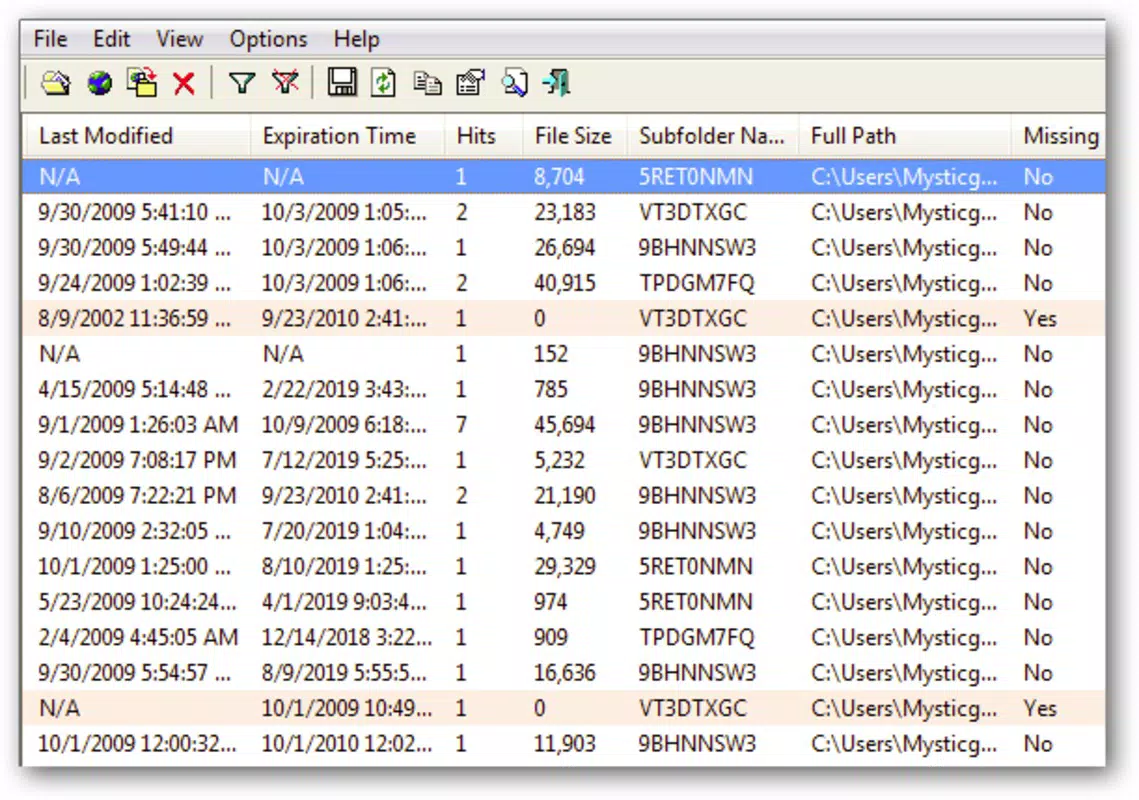
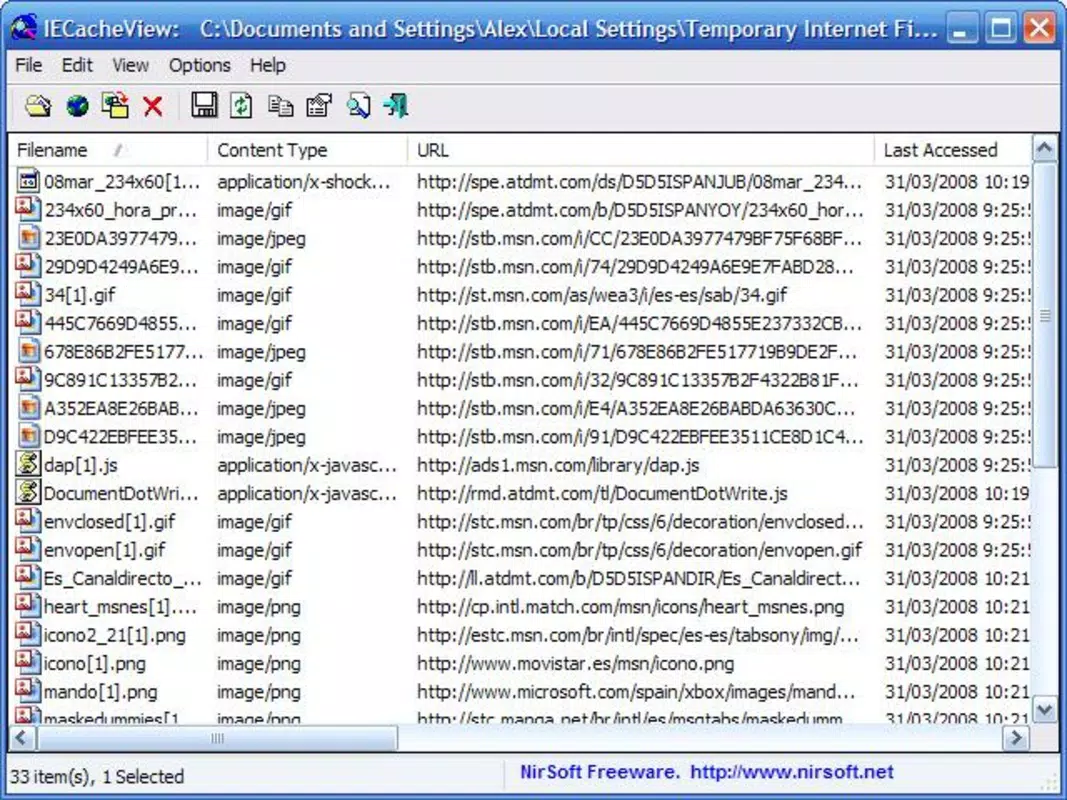
- Comprehensive Cache Inspection: The tool displays a detailed list of all cached items, including file type, URL, size, and timestamp. Users can sort, filter, and navigate through the data efficiently.
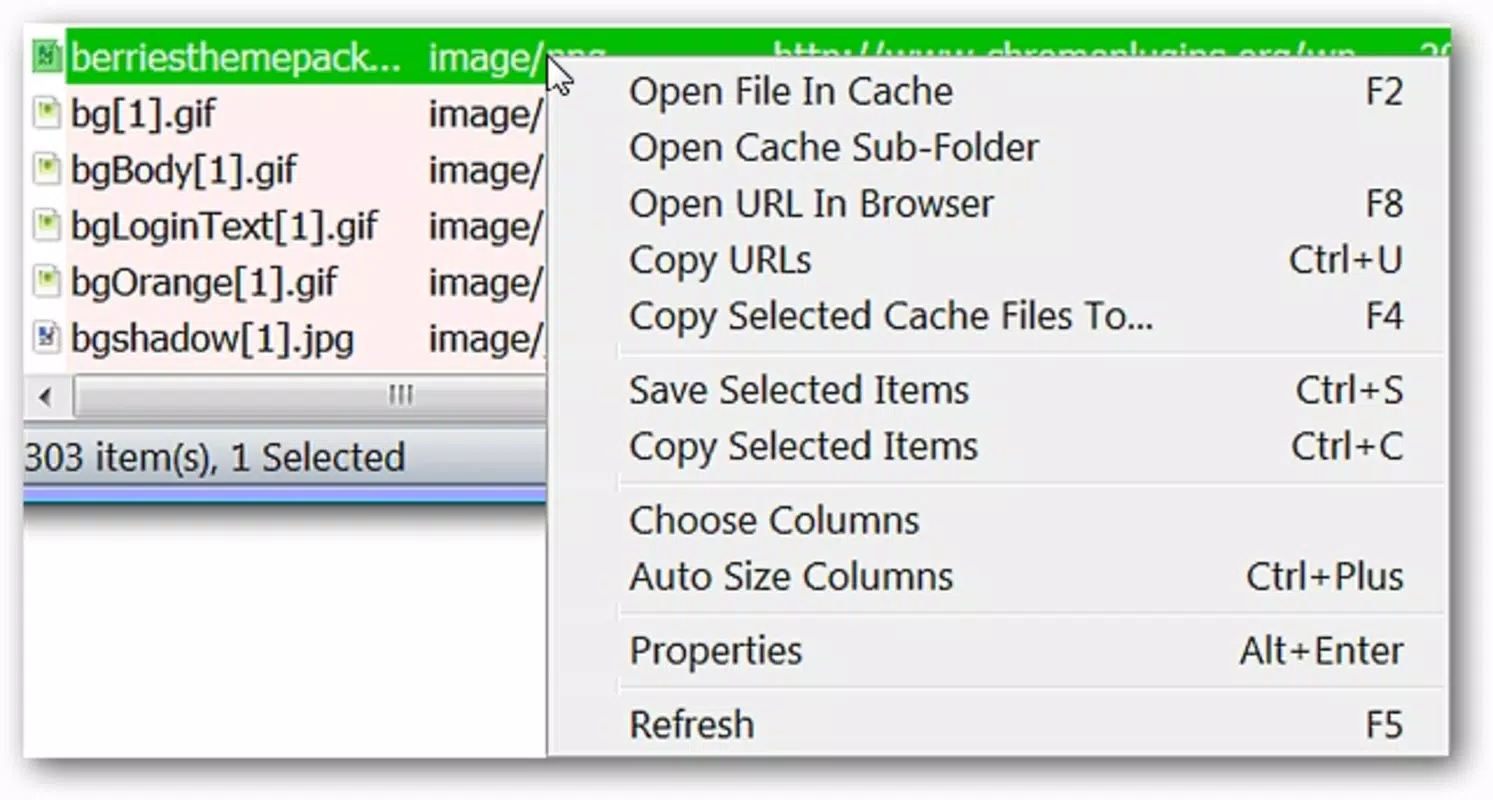
- File Recovery and Export: Users can recover cached files directly to disk, copy URLs, or open the associated local folders from within the interface, streamlining the retrieval process.
- Advanced Search Functionality: A built-in search feature allows users to locate specific cached items by filename, URL, or file type, significantly reducing the time spent browsing through large caches.
- HTML Report Generation: IECacheView can generate detailed HTML reports of cache data, which can be exported for sharing, archiving, or analysis purposes.
For example, a user who needs to recover a forgotten image from a past web visit can use the search function to locate the file by name or URL, then recover it instantly. Similarly, a system administrator might generate an HTML report to document browser cache usage across multiple machines.
Interface, UX & Performance
IECacheView features a clean, text-based interface that prioritizes functionality over visual flair. The layout is straightforward, with a central list displaying cached entries and simple controls for navigation, search, and export. Despite its minimal design, the interface is intuitive and easy to navigate, even for users unfamiliar with technical tools.
Navigation is linear and consistent, relying on keyboard shortcuts and context menus for quick actions. The application responds instantly to user inputs, with no noticeable lag during loading or searching. Although the developer did not list formal performance metrics, the app’s small size and direct execution from memory suggest it runs efficiently across various Windows device categories.
Stability is a key strength—users report consistent operation without crashes or memory leaks. The lack of installation also means no background processes or registry changes, contributing to long-term reliability. Responsiveness is maintained even when handling large cache files, though performance may vary slightly depending on system resources.
Platform Compatibility & Technical Requirements
IECacheView is designed exclusively for Windows operating systems. It is compatible with all major versions of Windows, including Windows 7, 8, 10, and 11, though specific compatibility details were not provided by the developer. The application is available as a single executable file with a size of 128 KB, making it easy to transfer and run from external storage.
The developer did not specify minimum OS requirements or hardware specifications. However, given its lightweight nature and portable design, it is expected to function on systems with limited resources. No additional dependencies or runtime libraries are required, ensuring broad accessibility across different Windows environments.
Pros and Cons
Pros
- Completely portable—no installation required
- Extremely small file size (128 KB)
- Fast and responsive performance
- Supports file recovery and direct export
- Generates shareable HTML reports
- Free to download and use
Cons
- Only supports Internet Explorer cache (not other browsers)
- Interface is text-based and lacks modern visual design
- No built-in update mechanism
- Limited to Windows platform
- Developer did not provide detailed technical specifications
FAQ
Is IECacheView safe to use?
Yes, IECacheView is a legitimate tool developed by NirSoft. It does not install any components or modify system settings, and it runs in memory without leaving traces.
Can I use IECacheView on Windows 11?
While specific compatibility details were not listed, the tool is designed for Windows and is expected to work on Windows 11, given its lightweight and portable nature.
Does IECacheView require an internet connection?
No, the application operates offline. It accesses local cache files directly from the system, so an internet connection is not needed.
Can I recover deleted files using IECacheView?
Yes, if the files were previously cached by Internet Explorer, they can be recovered directly from the cache using the tool’s recovery options.
Is IECacheView free to download and use?
Yes, IECacheView is completely free. The developer does not charge for the software or include ads.
Final Thoughts
IECacheView stands out as a focused, reliable tool for users who need to access and manage Internet Explorer’s cached data. Its portability, speed, and file recovery capabilities make it a valuable utility for both technical and non-technical users. While it lacks modern UI elements and is limited to a single browser, its efficiency and zero-install approach deliver significant value.
For anyone dealing with archived web content, troubleshooting browser issues, or analyzing cache behavior, IECacheView offers a secure, lightweight, and effective solution. It’s especially useful in environments where software installation is restricted or where minimal system impact is essential.
Download IECacheView now


